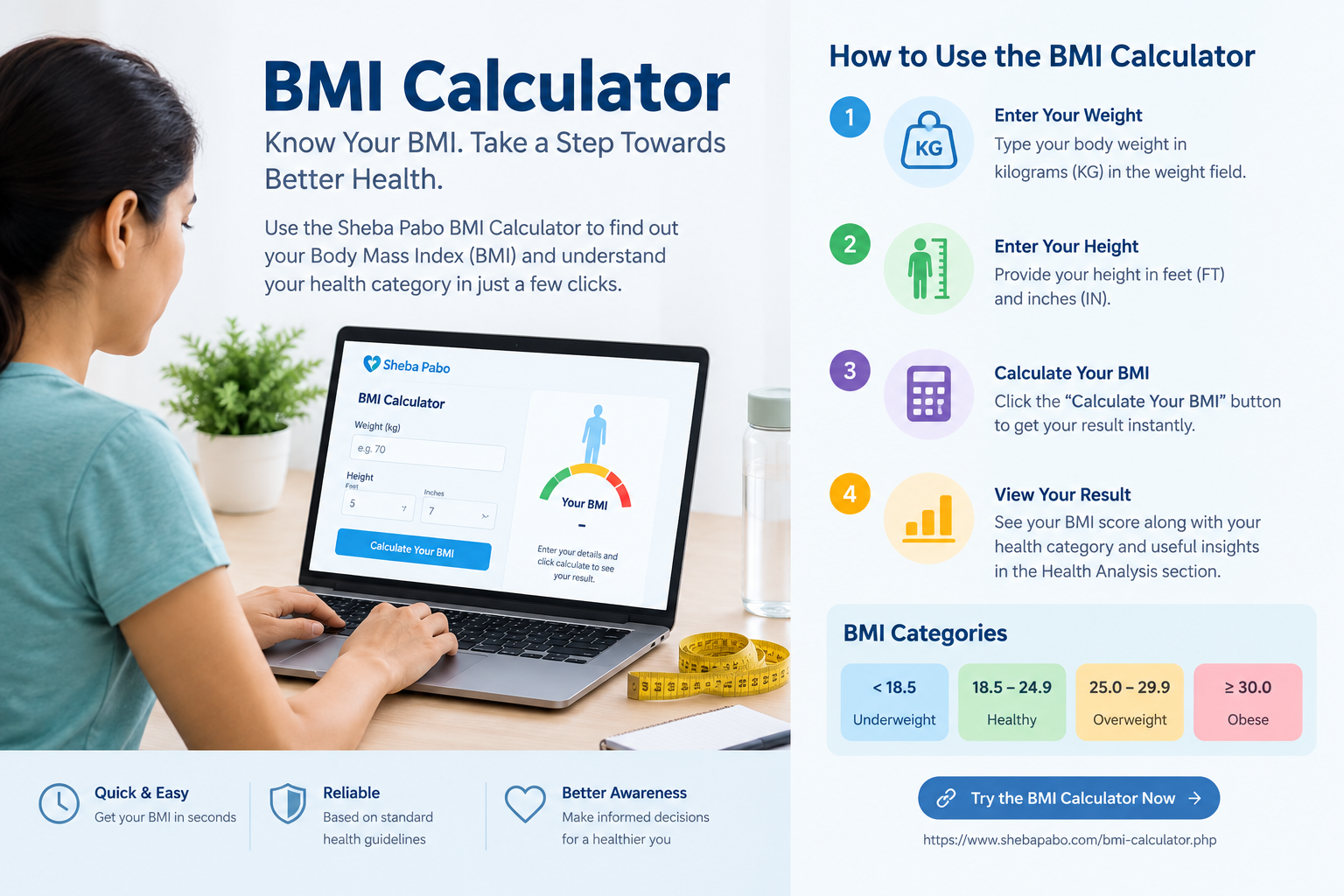
Knowing your Body Mass Index (BMI) can be a useful first step toward understanding your weight in relation to your height. Instead of calculating BMI manually, the Sheba Pabo BMI Calculator lets you enter your weight and height and quickly produces a BMI score along with a health-category interpretation.
This guide explains how the Sheba Pabo BMI Calculator works, what information you need to enter, how the calculation is presented, and how to understand the result shown by the calculator.
How Does the Sheba Pabo BMI Calculator Work?
The calculator is designed around two basic measurements: your body weight and your height. On the calculator page, you enter your weight in kilograms and your height using feet and inches. Once these values are provided, the calculator uses them to determine your Body Mass Index and displays the resulting BMI score through its Vitality Index.
The calculator page is organized into a simple health-analysis interface so that users can enter their measurements without needing to perform the mathematical calculation themselves.
Step 1: Enter Your Weight
The first value required by the calculator is your body weight. The input field is measured in kilograms (KG). For example, the calculator interface shows an example value of 70 KG.
Enter your current weight as accurately as possible. Using an incorrect weight can affect the calculated BMI, so it is important to use a recent and reliable measurement.
Step 2: Enter Your Height
The second measurement is your height. The Sheba Pabo BMI Calculator accepts height in two separate fields: feet (FT) and inches (IN).
For example, if your height is 5 feet 7 inches, enter 5 in the feet field and 7 in the inches field. Keeping the height format consistent with the calculator helps it process your measurement correctly.
Step 3: Calculate Your BMI
After entering your weight and height, select Calculate Your BMI. The calculator processes the information and produces your BMI score.
Before calculation, the calculator displays a Calculation Ready message and instructs the user to review the result on the Vitality Meter. After the calculation is completed, the BMI score is shown in the Health Analysis section.
What Is the Vitality Index?
The calculator uses a visual Vitality Index to present the BMI score. When no measurements have been entered, the interface displays an awaiting-data state. After calculation, the BMI result is presented as the user's BMI score so it can be compared with the standard BMI categories.
How the Calculator Interprets Your BMI
After calculating the BMI, the result is interpreted using four standard categories shown on the Sheba Pabo calculator page:
| BMI Result | Category | Calculator Insight |
|---|---|---|
| < 18.5 | Underweight | Risk of low immunity and nutrient deficiency. |
| 18.5 - 24.9 | Healthy | Ideal range for metabolic and heart health. |
| 25.0 - 29.9 | Overweight | Early risks for hypertension and joints. |
| 30.0 + | Obese | High clinical risk for chronic diseases. |
What Happens After You Get Your BMI Score?
The Sheba Pabo BMI page does more than display a number. It also provides a Health Analysis section explaining the general health considerations associated with each BMI category. This gives the result additional context instead of leaving users with a number that may be difficult to interpret on its own.
Underweight
For BMI below 18.5, the calculator's health analysis discusses possible concerns such as weakened immunity, nutritional deficiencies, anemia, lower bone health, fatigue, dry skin, and hair loss. The page recommends nutrient-dense foods and resistance training and suggests consulting a nutritionist when underlying nutritional or metabolic issues are a concern.
Healthy Weight
For BMI between 18.5 and 24.9, the page describes this as the healthy or normal range and focuses on maintaining a balanced lifestyle. It also notes that BMI does not account for the muscle-to-fat ratio and recommends continuing to monitor factors such as waist circumference and blood pressure.
Overweight
For BMI between 25.0 and 29.9, the calculator's analysis highlights possible concerns involving blood pressure, insulin resistance, prediabetes, and joint discomfort. Its clinical advice emphasizes fiber-rich foods, reducing processed sugars, regular physical activity, and sustainable weight management.
Obese
For BMI of 30 or higher, the health analysis describes obesity as a chronic medical condition associated with increased risks of several serious health problems. The page recommends professional medical guidance and sustainable long-term weight-management strategies rather than crash diets.
Example: How to Use the BMI Calculator
Imagine a person weighs 70 KG and is 5 feet 7 inches tall. The user would enter 70 in the weight field, 5 in the feet field, and 7 in the inches field. After selecting Calculate Your BMI, the calculator processes those measurements and presents the resulting BMI score in the Vitality Index.
The important point is that the user does not need to perform the mathematical calculation manually. The calculator handles the calculation and then presents the result in a format that can be compared with the displayed BMI categories.
Why Use an Online BMI Calculator?
- It saves you from calculating BMI manually.
- It accepts weight in kilograms and height in feet and inches.
- It gives a quick BMI score after the required measurements are entered.
- It presents the result alongside standard BMI categories.
- It provides additional health analysis for the different BMI ranges.
Important Things to Remember About Your BMI Result
A BMI result is useful for understanding a general weight category, but it should not be treated as a complete diagnosis of your health. The Health Analysis provided by the Sheba Pabo calculator is intended to give general context around the calculated BMI rather than replace an individualized medical assessment.
Your result can be used as a starting point for thinking about nutrition, physical activity, weight management, and whether professional health advice may be appropriate.
Calculate Your BMI Online with Sheba Pabo
Ready to check your BMI? Use the Sheba Pabo BMI Calculator. Enter your weight in kilograms, enter your height in feet and inches, select Calculate Your BMI, and review the BMI score and health category shown by the calculator.
Note: BMI is a general screening measurement. Your BMI result should be considered together with other relevant health and lifestyle factors and should not be used by itself to diagnose a medical condition.